Laser-cut living hinges: make wood bend
A pattern of offset slits turns stiff plywood into something that bends – perfect for round box corners, book covers, bracelets or lamp shades. The living hinge generator in BeamSketch creates the pattern in seconds.
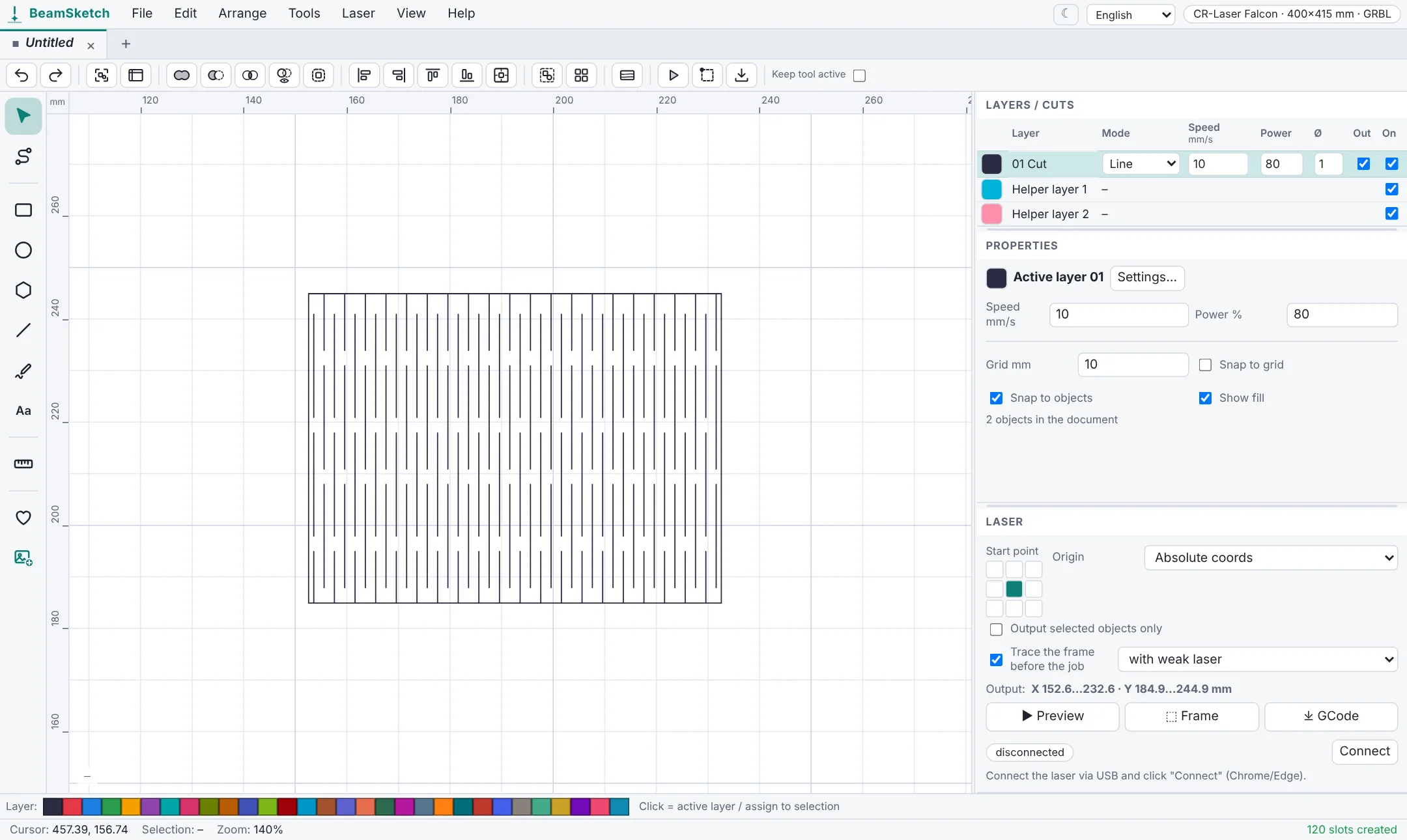
How to create a living hinge
- Open BeamSketch and choose Tools → Living hinge.
- Enter the width and height of the area that should bend.
- Set the row spacing, slit length and bridge (the bit of wood between two slits).
- Click Create. Optionally the area gets a frame.
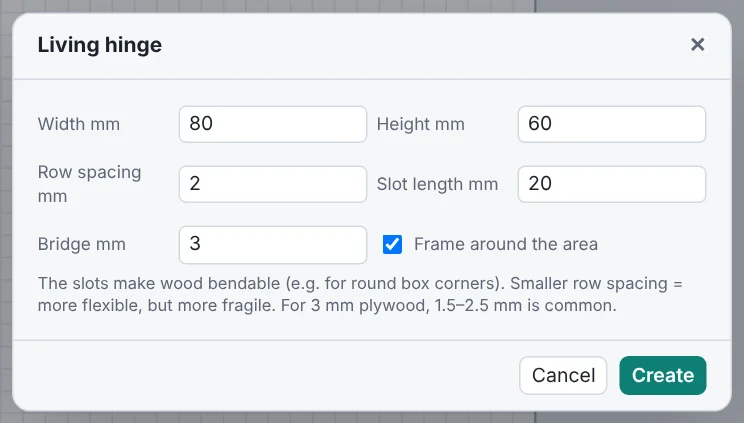
Which values work?
| Setting | Effect | Starting value for 3 mm plywood |
|---|---|---|
| Row spacing | smaller = more flexible, but more fragile | 1.5–2.5 mm |
| Slit length | longer = more flexible | about 20 mm |
| Bridge | wider = sturdier, but stiffer | about 3 mm |
The hinge area has to cover the whole part that bends. For a box corner with radius r that's about a quarter of the circumference, roughly 1.6 × r.
Tips
- Cut a small test piece first: wood type and moisture change the flexibility a lot.
- The slits have to go all the way through – add an extra pass if in doubt.
- Bend the wood slowly and across the slits.
- Combined with the box generator you get boxes with round corners.
Start now – no sign-up
Free, runs right in your browser.