Laser-cut boxes with finger joints: the box generator
A plywood or MDF box that holds together without screws: with the box generator in BeamSketch you enter the size, and all parts with matching finger joints appear on the canvas right away – ready to cut.
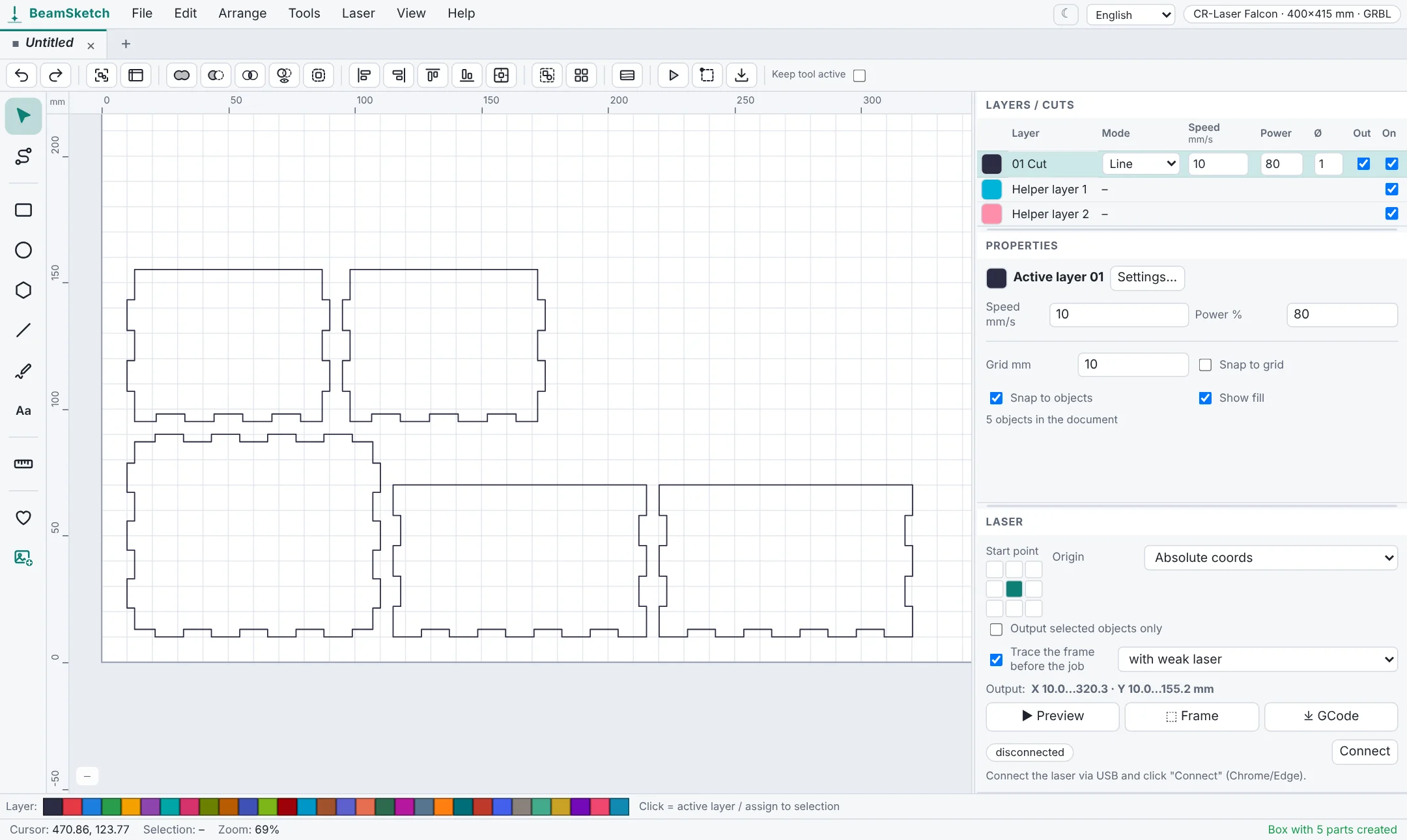
How to create a box
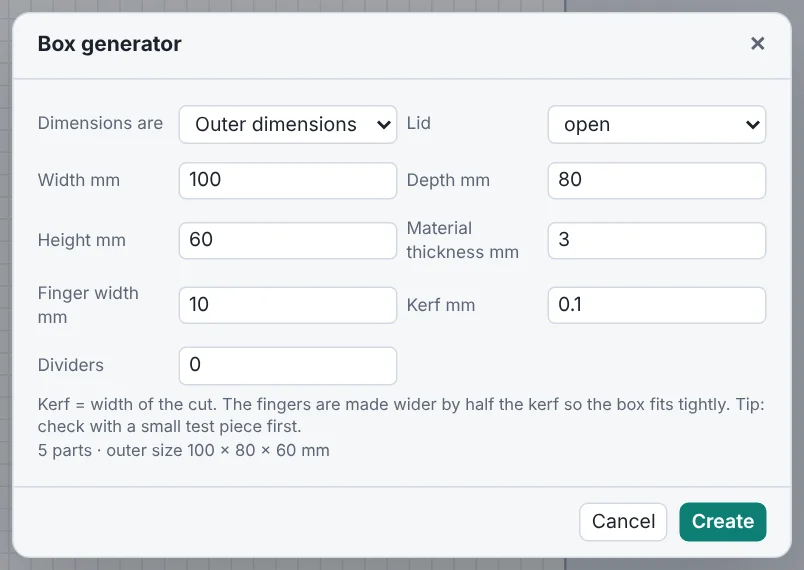
- Open BeamSketch and choose Tools → Box generator.
- Enter width, depth and height and choose whether they are outer or inner dimensions.
- Set the material thickness (e.g. 3 mm plywood) and the finger width.
- Choose an open box or one with a lid, and whether it gets dividers.
- Click Create. The parts appear on the active layer and can be moved, arranged and cut like any drawing.
Tips for a good fit
- Kerf: the laser burns away a thin line of material. BeamSketch makes the fingers wider by half the kerf so the box fits tightly. On diode lasers the kerf is usually around 0.1 mm – best check with a small test piece.
- Finger width: at least 1.5 times the material thickness, otherwise the fingers get fragile. For 3 mm material, 8–12 mm is a good start.
- Measure the material: 3 mm plywood is often 2.8 or 3.2 mm thick. With the real value the joints fit much better.
- Dividers slot into the bottom – handy for organizer boxes.
Decorate it
The parts are regular shapes: add a name in script on the lid, engrave a design, or bend the corners round with a living hinge. Put engravings on their own layer with lower power.
Start now – no sign-up
Free, runs right in your browser.