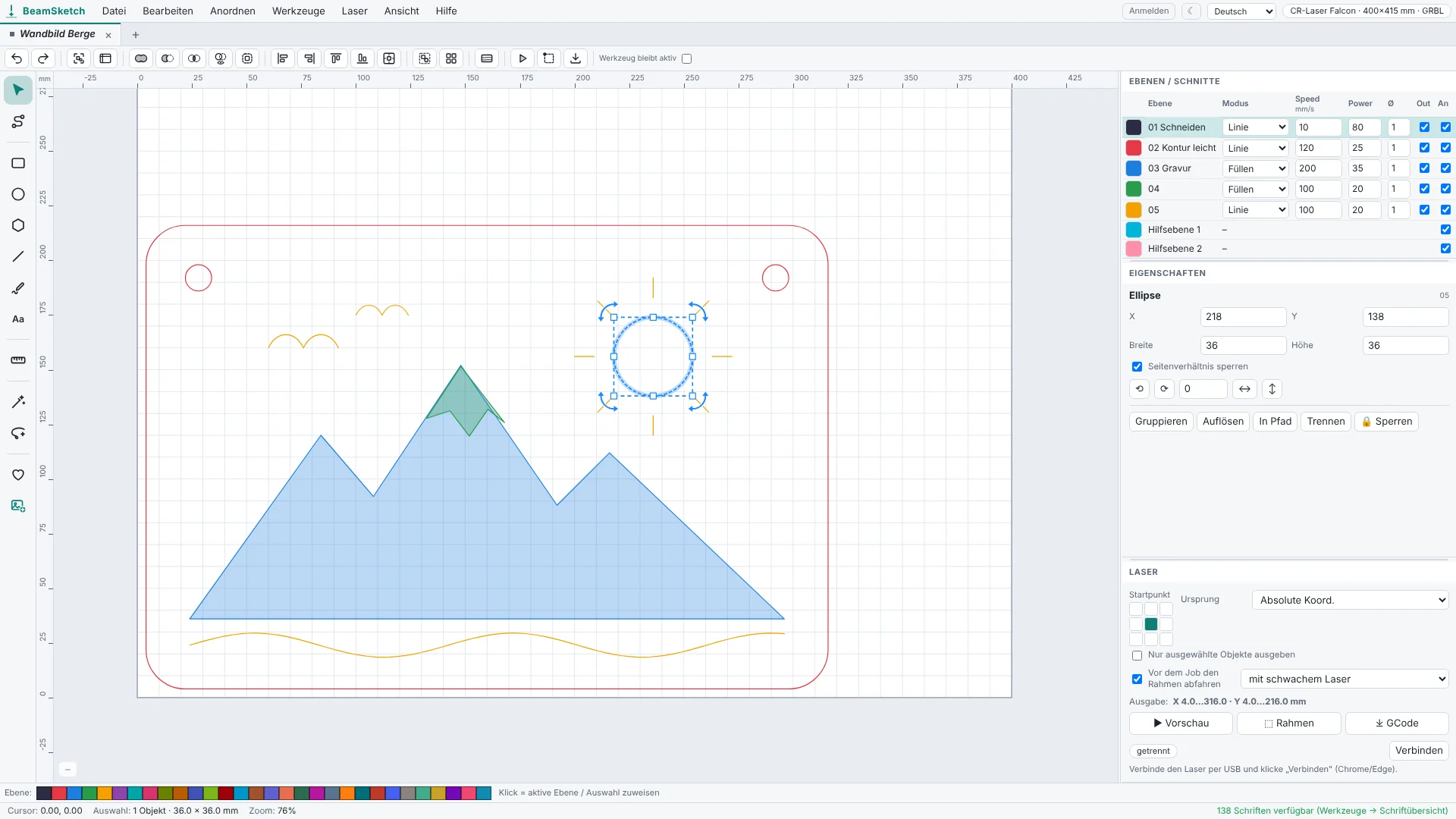
Laser engraving software – right in your browser
Draw, engrave text and images, generate finger-joint boxes – then send the job straight to your laser via USB or save it as a GCode file, e.g. for the SD card. Nothing to install.
Start now – no sign-upYou only need a free account to save projects and symbols online.
- All tools
- Send to your laser
- GCode & SVG export
- Save projects as files
- Everything without sign-up
- 10 Projekte & 10 symbols online
- AI Create & AI Lasso with your own OpenAI key
- Available on any computer
FAQ – lasers, browsers & more
Which lasers are supported?
All lasers with a GRBL controller that understand GCode – that's most diode lasers:
- Creality, Sculpfun, Atomstack, Ortur, TwoTrees, NEJE, Longer, AlgoLaser, Mecpow, Wainlux, Comgrow, Acmer
- xTool D1 / D1 Pro, Snapmaker Ray
- any other GRBL laser, and K40 lasers converted to GRBL
Limited: xTool S1, Snapmaker 2.0, machines with Marlin firmware.
Not supported (proprietary controller, no GCode): xTool F1 / M1 / P2, Glowforge, LaserPecker, WeCreat, FLUX Beamo / Beambox, CO2 lasers with a Ruida controller, K40 with the original M2 Nano board.
Which browser do I need?
Designing and saving GCode works in any current browser. To send directly to your laser via USB you need Chrome or Edge on a computer (Windows, macOS, Linux, ChromeOS). Firefox, Safari, phones and tablets can't open a USB connection.
Send directly or save GCode?
Both: send the job straight to your laser via USB – with frame tracing and a progress display. Or save it as a GCode file and transfer it via SD card, USB stick or your laser's own software.
Do I need to install anything?
No, BeamSketch runs entirely in your browser. On Windows, some lasers need the manufacturer's USB driver once (usually "CH340").
Where are my designs stored?
In your browser on your computer – even without an account. With a free account you can also save them online under “My projects” and open them on any computer – visible only to you. Saving as a file works too, of course.
Is BeamSketch open source?
Yes, the editor is free software under the AGPL-3.0 – you can find the source code on GitHub. Accounts, online storage and the AI tools run on our server and are not part of it.
What does BeamSketch cost?
Nothing. BeamSketch is free with no time limit – even without signing up at all. With a free account you can save up to 10 Projekte und 10 custom symbols online.
How do the AI tools work?
AI Create draws a design from your description, AI Lasso changes selected objects by text. For this you need a free account and your own API key from OpenAI. OpenAI bills the costs – usually a few cents per image – directly to you. You enter the key in the app; it is only stored in your browser.
LightBurn alternative · Creality Falcon · All questions & contact →